Faster on the track. Together on the trail.
Free lap timing with sectors and a ghost, and live data from your Stark Varg. Your crew on the map and a help button when you ride the woods.
Android, via F-Droid or as an APK. iPhone beta via TestFlight. Sign in with your email, no password.
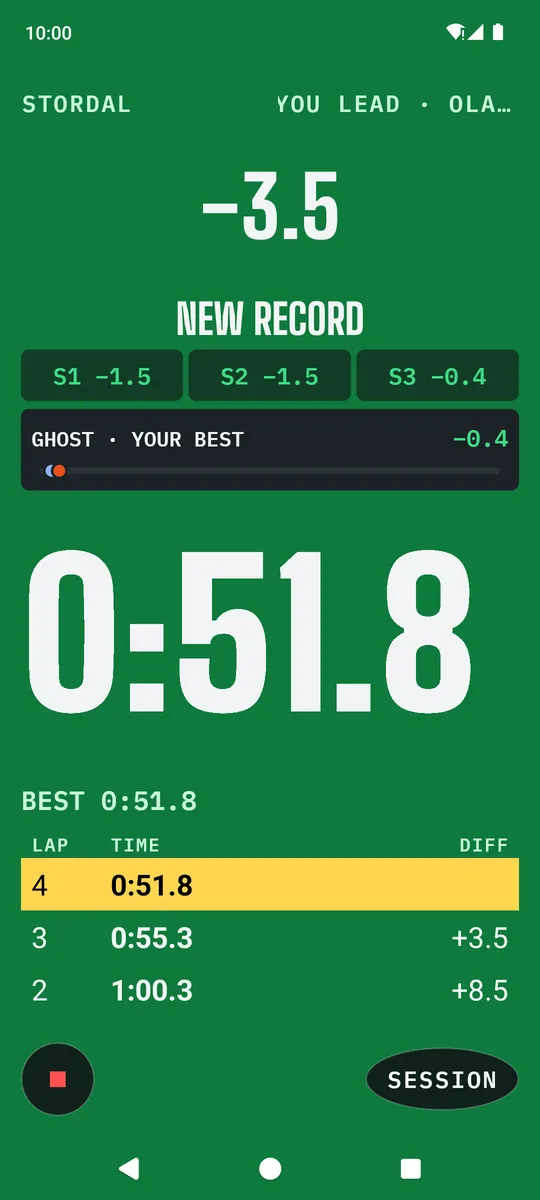
Every lap timed. Every tenth on the screen.
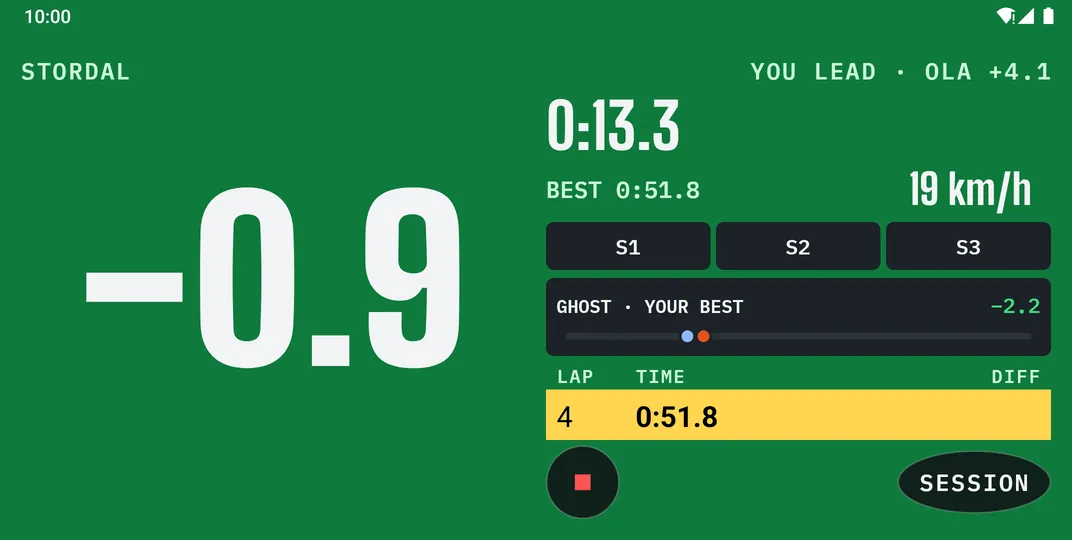
Ride onto a track and the Pitboard takes over: numbers big enough to read at speed, and the rest waits until you stop.
Know if you’re faster before the lap is over
The big number is your gap, green when you’re up. Sectors light up as you cross each split, and the ghost strip shows the ghost ahead of you or behind.
Chase your own best, the track best, or tap any rider on the leaderboard and race their lap.
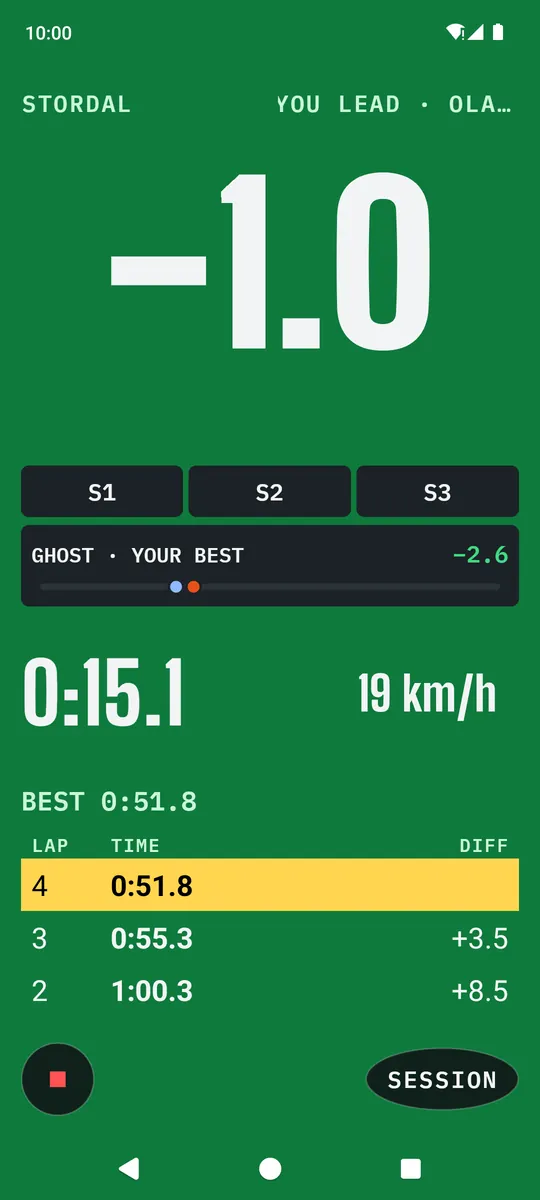
Replayed run at Stordal
No buttons at the gate
Ride onto a known track and the Pitboard comes up by itself. Every crossing is a lap, your best is marked, and you drop back to the map when you stop in the pits.
After the ride, every lap is on the map, coloured by speed, with your best one picked out.
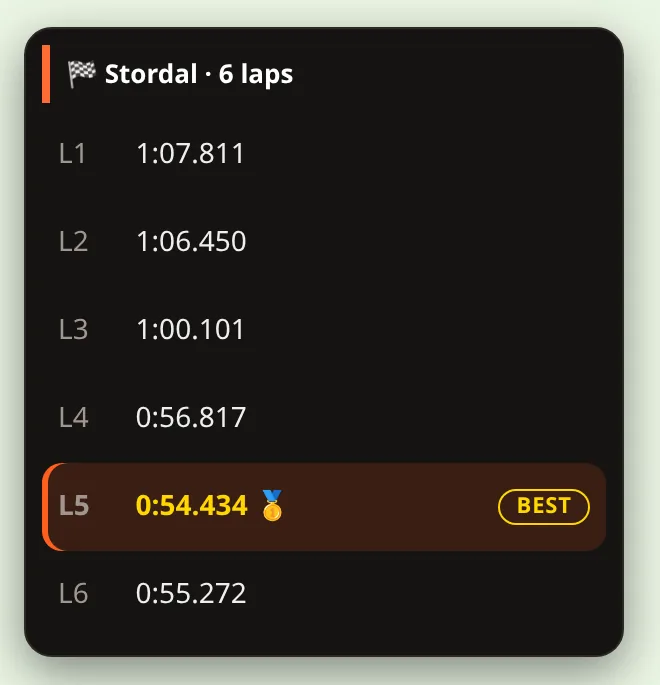
A real ride at Stordal, lap by lap. The Pitboard screens are a replayed run, so their times differ.
See who you’re chasing
Every track has a leaderboard. The top line of the Pitboard tells you the rider just ahead and the gap, or that you lead. When a friend beats your best, the Pitboard tells you.
Turn the phone sideways and the lap table moves next to the delta.
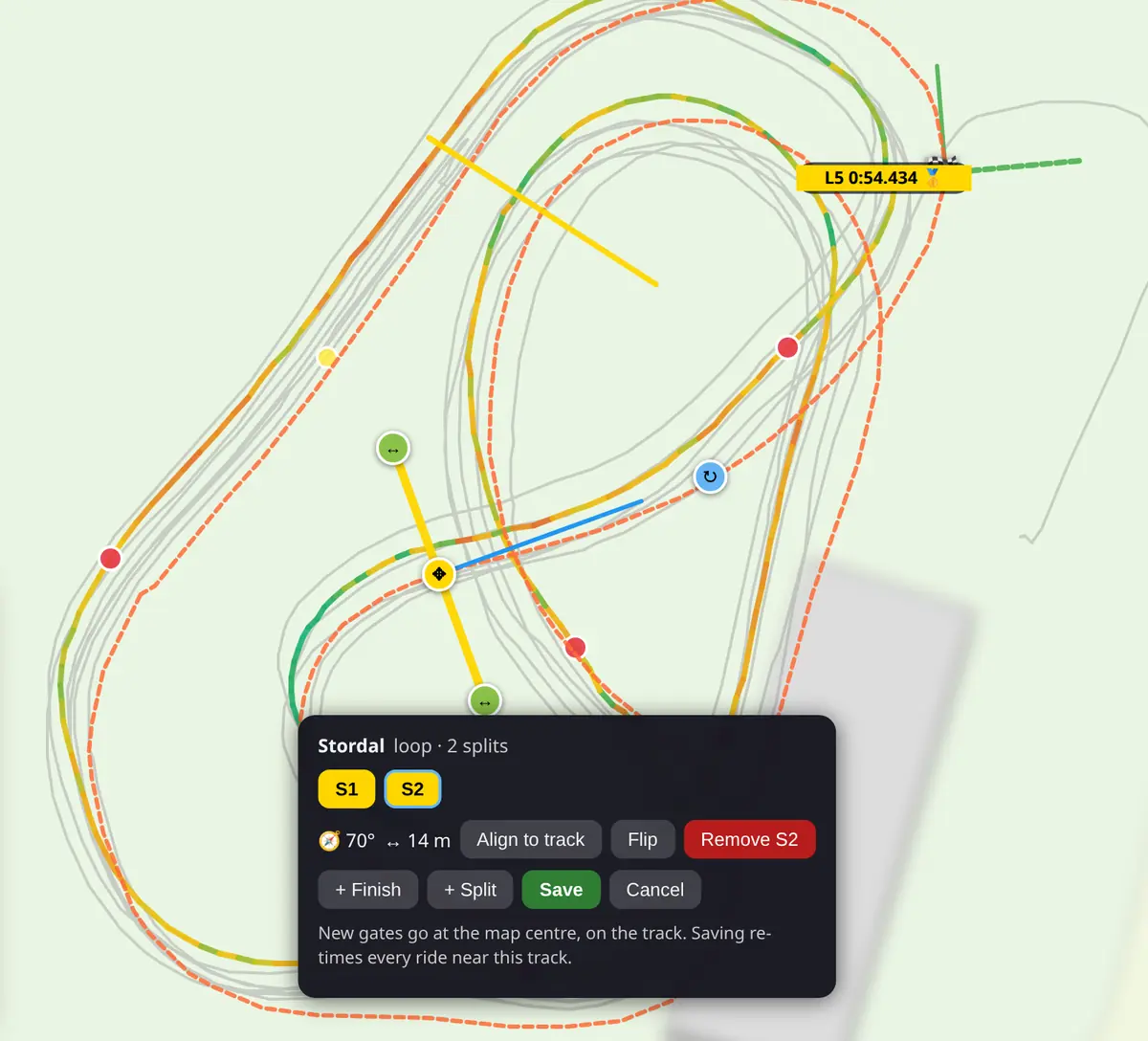
Your start, your finish, your sectors
Drag the start gate, add splits, or add a finish line and the track becomes a point to point run: an enduro test, a hill, a section you want to own.
Save, and every ride near the track is timed again with the new gates.
Find the corner where the time went
After the ride, the coach puts each corner against your best lap on that track and tells you where you lost it. Corner 4, +7.9 s. Corner 1, +6.3 s. Numbers from your own laps, so you know where to work next time out.
Don’t want it? Switch the coach off under Account.
- Corner 4: +7.9 s against your best lap, 6.7 s of it inside the corner.
- Corner 1: +6.3 s, 3.8 s inside the corner.
App screens: a real ride at Stordal, replayed. Friends’ names are examples. Web screens are real rides with the map blurred.
Ride the woods with your crew.
Share a code and everyone who rides with it shows up. No accounts to link, no friend requests.
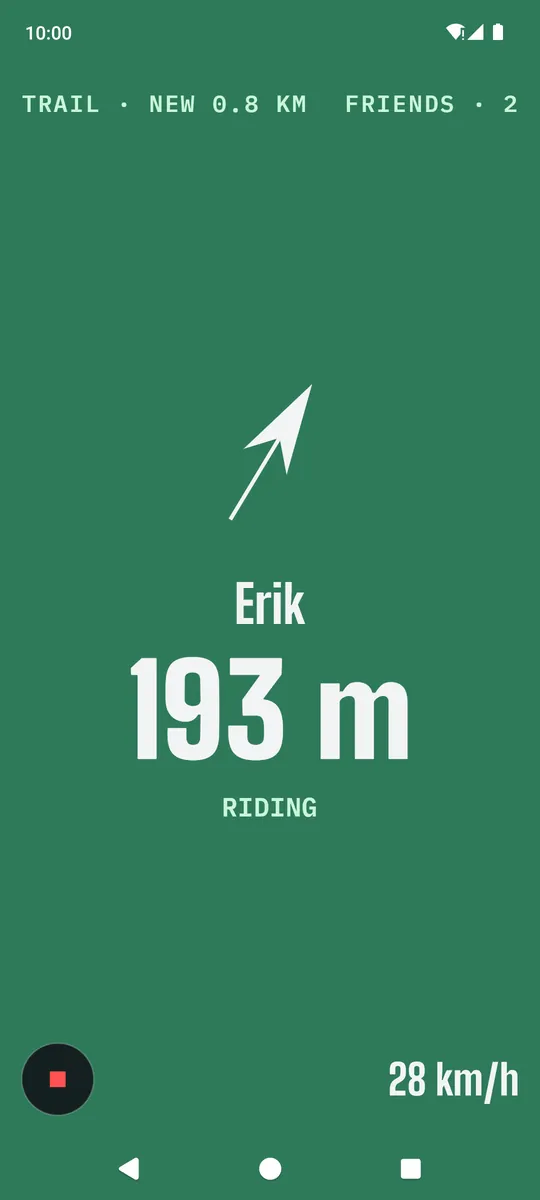
Where’s Erik? 193 m that way.
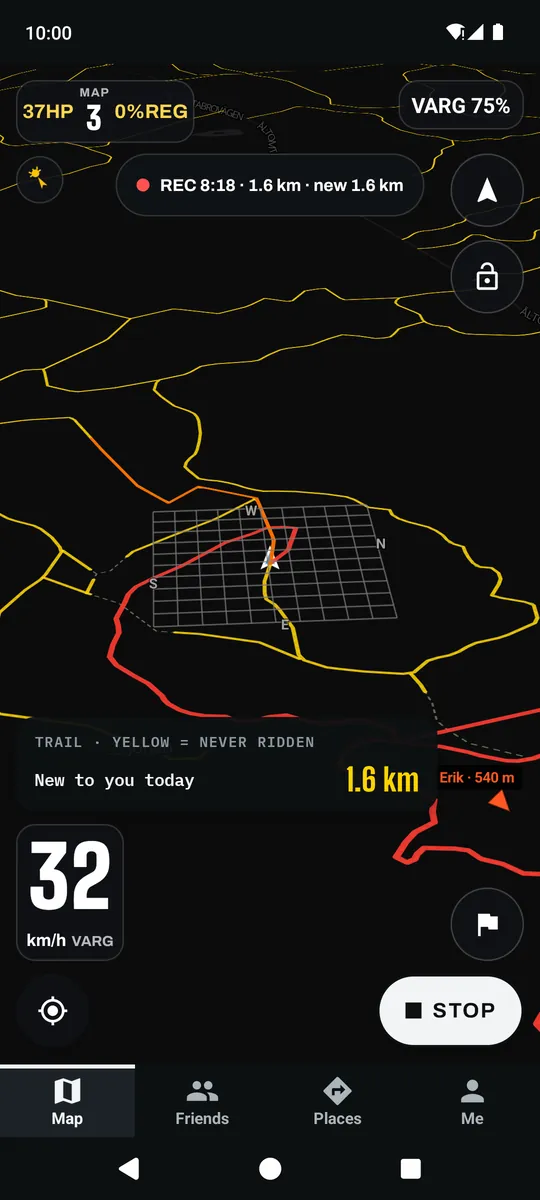
Everyone on your code is on the map, with the distance to each of them, so nobody waits at the wrong junction.
Pick up speed off the track and the screen turns into a big arrow to your crew, readable on the move.
One press, and your crew knows
Press help and everyone on your code gets an alarm with where you are. Their screen turns red, with an arrow and the distance to you, until they’ve seen it.
It’s a button you press. The app does not detect a crash and call for you.
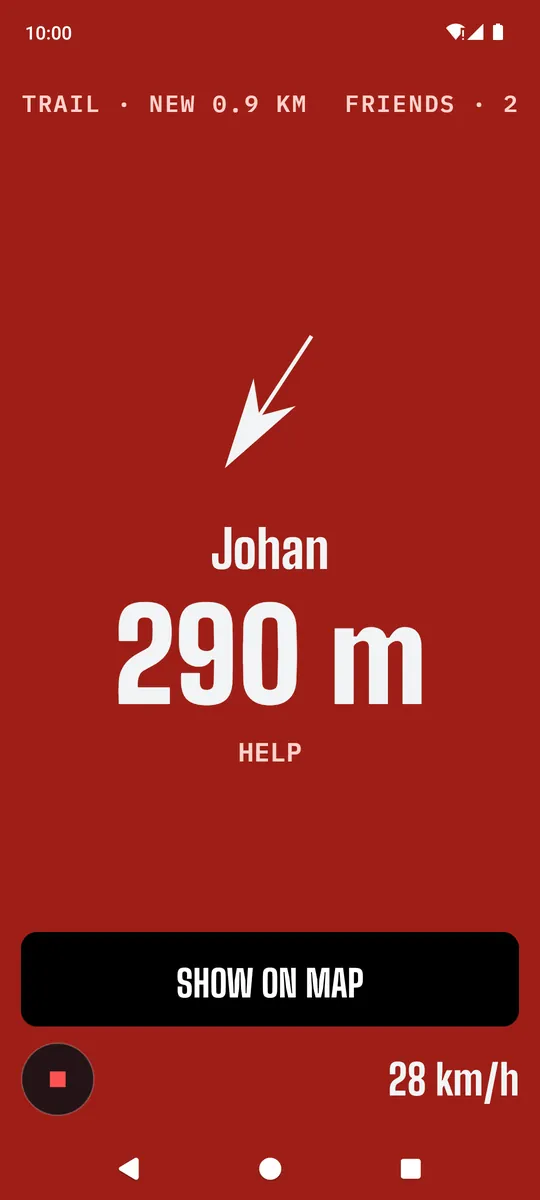
What your crew sees
Every ride, read back
Your line coloured by speed, with jumps, hard landings, corners and the open sections where you could let it run. The ride report adds it up: crashes, airtime, and whether you were quicker on the trails you’ve ridden before.
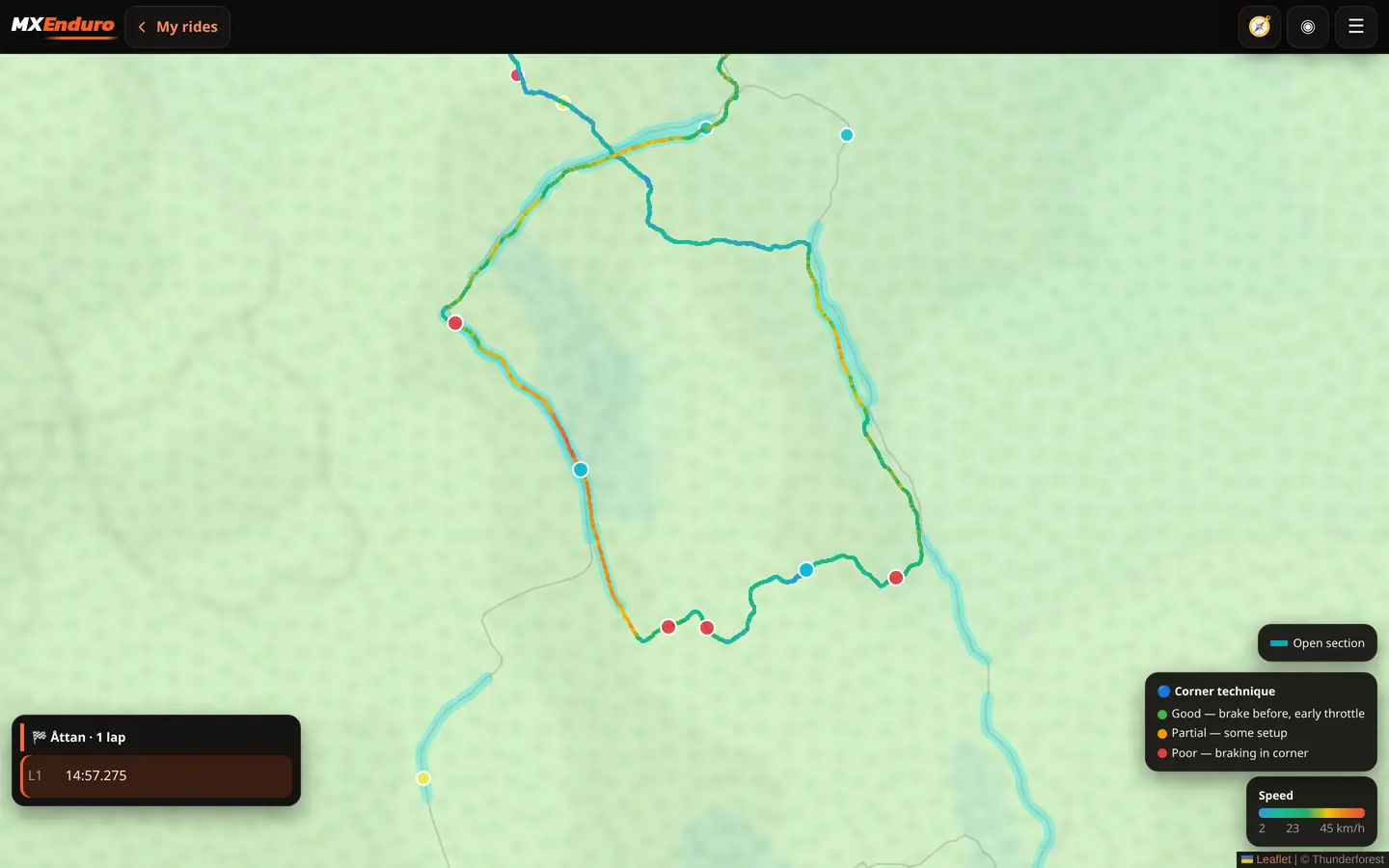
- Open sections: median 20.8 km/h, longest run 32.6 s above 17 km/h.
- Familiar trails: quicker on 61% of stretches ridden before.
- Crashes: three, at 04:36, 23:10 and 46:07.
Real bike data, not just GPS
Works on the phone alone. Pair a Stark Varg or RaceBox and it sees what GPS can’t. Paired once over Bluetooth, the app connects by itself on start.
Straight from the bike’s controller
- Wheel speed on screen and in your ride stats, not GPS guesswork.
- Motor power: throttle and engine braking through each corner.
- The bike’s motion sensor: jumps, hard landings, wheelies, wheel spin and hard braking.
- On the map: power, map, regen and battery while you ride.
Fixed to the bike, phone in your pocket. Tested on the Micro; Mini and Mini S use the same protocol.
- 25 Hz GNSS position and speed in place of the phone’s GPS, for tighter lines and lap times.
- Motion sensor: jumps, landings and corners on any bike, mounted in most orientations; the ride analysis calibrates it.
Not affiliated with Stark Future or RaceBox. Names are used only to say what the app works with.
Every ride, lap and leaderboard, on a big screen
Sign in with the same email as in the app and go through your day on a laptop: the map, the laps and the ride report.
- Rides with time, pace, climb, the route on a map and the ride report for each one.
- Tracks with every ride on them, yours and other riders’, with laps, best lap and the leaderboard.
- Gates: move the start, add splits or a finish, and every ride is timed again.
- Trails you have recorded, on a map.
Get MX Enduro
On Android, F-Droid keeps the app up to date, or grab the APK directly. On iPhone, join the beta through TestFlight.
The iPhone beta times your laps on tracks already in the app, reads them out and records your rides for the ride report. Live delta, sectors, ghost, the crew map, the help alarm, RaceBox and Stark Varg are Android only for now.
iPhone: install Apple's TestFlight app first, then open the link on the phone.
⬇ Download APK directlyhttps://fdroid.mxenduro.se/repo
https://fdroid.mxenduro.se/repo/mxenduro.apk
Usage statistics (Android app): the app sends a daily count of which features were used (opened, recorded, map, bike, …), its version and Android version, under a random install id. Never your position, your account or your email. Switch it off under Account → “Send anonymous usage statistics”; that also forgets the id.
Feedback (Android app): only when you press Account → “Send feedback”. Your message goes to the developer together with the app and Android version, phone model, your last ride’s id, which sensors were connected, and the email you give for a reply (optional).